Introduction
There is nothing quite as frustrating as sitting in your driveway, pressing a button on your visor, and watching your garage door remain stubbornly closed. If you are searching for how to set garage door opener in Infiniti QX60, you are likely dealing with this exact annoyance or perhaps preparing a newly purchased vehicle for daily convenience. We understand that vehicle technology can sometimes feel overwhelming, but programming your HomeLink system is actually a straightforward process that will transform your daily routine. This comprehensive guide will walk you through every step with empathy and precision, ensuring you get back to enjoying the seamless luxury your Infiniti was designed to provide.
Understanding the HomeLink System in Your Infiniti QX60
Before diving into the buttons, it is vital to understand what you are actually programming. The Infiniti QX60 utilizes the HomeLink Wireless Control System, an integrated universal transceiver that replaces hand-held remote controls. Unlike older generic openers, modern HomeLink systems (version 5.0 and newer) use rolling code technology for enhanced security.
According to automotive safety standards, this system is designed to operate not just garage doors, but also entry gates, security lighting, and even smart home devices. For a deeper technical understanding of how these radio frequency transceivers function within vehicular environments, you can refer to the Wikipedia page on HomeLink. Understanding this baseline helps prevent user error during the synchronization phase.
Why Proper Setup Matters for Safety and Security
Programming your opener isn’t just about convenience; it is a safety protocol. A correctly synced QX60 ensures the “rolling code” encryption matches your garage motor, preventing signal interception. Furthermore, proper setup ensures the safety reversal sensors remain active, protecting pets and children from accidental closure while the vehicle is in proximity.
Pre-Programming Checklist: What You Need Before Starting
To ensure the process of learning how to set garage door opener in Infiniti QX60 goes smoothly, gather the following items. Skipping this step is the #1 cause of programming failure.
- Original Hand-Held Remote: Even though you are programming the car, you often need the original remote to “clone” the signal during the initial handshake.
- Fresh Batteries: Replace the battery in your hand-held remote before starting. Weak signals cause sync timeouts.
- Clear Line of Sight: Ensure no vehicles or objects block the path between the QX60’s rearview mirror and the garage door motor.
- Ladder or Step Stool: You may need to access the “Learn” button on the garage motor unit itself.
- Vehicle Ignition ON: The Infiniti QX60 must be in “Accessory” or “ON” mode (engine running is recommended to prevent battery drain during extended programming).
- Patience: The timing windows for button presses are specific. Rushing leads to resets.
Pro Tip: If your QX60 is a 2022 model or newer, verify if your specific trim includes the “Intelligent Rear View Mirror” variant, as the HomeLink buttons may be located on the mirror frame rather than the overhead console.
Step-by-Step: How To Set Garage Door Opener In Infiniti QX60
Follow these instructions precisely. This method applies to most Infiniti QX60 model years (2014–2026) equipped with standard HomeLink.
Step 1: Clear Previous Codes (Recommended for Used Vehicles)
If you bought the QX60 pre-owned, always clear old memory first to avoid signal conflicts.
- Locate the two outer HomeLink buttons on your overhead console or mirror.
- Press and hold both outer buttons simultaneously for approximately 10–20 seconds.
- Watch the indicator light. It will flash slowly at first, then rapidly.
- Release the buttons once the light flashes rapidly. The system is now factory reset.
Step 2: Program the HomeLink Button to Your Remote
This step transfers the frequency from your handheld remote to the car.
- Hold your hand-held remote 1–3 inches away from the HomeLink buttons.
- Simultaneously press and hold the desired HomeLink button AND the button on your hand-held remote.
- Observe the HomeLink indicator light. It will flash slowly, then change to a rapid flash (or solid light, depending on year).
- Once the light changes, release both buttons. This indicates the basic frequency has been learned.
Step 3: Sync with Rolling Code Garage Openers
Most modern garage doors (post-1996) require this critical second step. If your door didn’t work after Step 2, this is why.
- Locate the “Learn” or “Smart” button on your garage door motor unit (usually near the antenna wire or light cover). Colors vary: Yellow, Purple, Orange, or Red.
- Press the “Learn” button firmly. The indicator light on the motor will illuminate or blink. You typically have 30 seconds to complete the next action.
- Return to your Infiniti QX60 immediately.
- Press and hold the programmed HomeLink button for 2 seconds, then release. Repeat this press-hold-release cycle up to three times.
- On the third press, the garage door should activate, confirming successful synchronization.
Troubleshooting Table: Common Sync Issues
| Symptom | Likely Cause | Solution |
|---|---|---|
| Light never flashes rapidly | Dead remote battery or wrong distance | Replace battery; adjust remote distance (1-3 inches) |
| Light flashes but door won’t open | Rolling code not synced | Perform Step 3; ensure you press “Learn” on motor first |
| Works intermittently | Signal interference or weak battery | Check for LED bulbs causing RF interference; replace remote battery |
| Buttons don’t respond | System locked or fuse issue | Perform factory reset (Step 1); check interior fuse panel |
| Solid light stays on | Memory full or error state | Clear all codes and restart from Step 1 |
Advanced Tips for Optimal Performance
Once you have mastered how to set garage door opener in Infiniti QX60, consider these optimization strategies for long-term reliability.
Managing LED Bulb Interference
Many homeowners upgrade garage lights to LEDs, unaware that cheap LED drivers emit radio frequency noise that jams HomeLink signals. If your system worked previously but suddenly stops, swap your garage bulbs with RF-shielded LED bulbs specifically rated for garage door openers. This single fix resolves approximately 40% of unexplained HomeLink failures.
Programming Multiple Devices
Your QX60 HomeLink system supports up to three distinct devices. You can program separate buttons for your primary garage, a detached workshop, and your front gate. Always label these mentally or with small discreet stickers to avoid pressing the wrong button in low-light conditions.
Testing Safety Reversal Features
After programming, always test the safety sensors. Place a 2×4 board flat on the ground under the door’s path. Close the door via HomeLink. The door must reverse upon contact. If it doesn’t, your garage opener’s mechanical settings need adjustment—this is unrelated to HomeLink but critical for safe operation.
Frequently Asked Questions (FAQ)
Can I program my Infiniti QX60 HomeLink without an original remote?
Yes, but only if your garage opener uses a fixed-code system (pre-1996) or if you have direct access to the motor’s “Learn” button and can perform a direct-to-motor sync. For most modern rolling-code openers, the original remote acts as the bridge. If lost, you may need to purchase a compatible universal remote first to clone the signal.
Why does my HomeLink work sometimes but not others?
Intermittent operation usually stems from three causes: a dying battery in the hand-held remote used during programming, RF interference from non-shielded LED bulbs in the garage fixture, or parking too far from the motor. Try replacing the remote battery first, then test with incandescent bulbs temporarily to rule out interference.
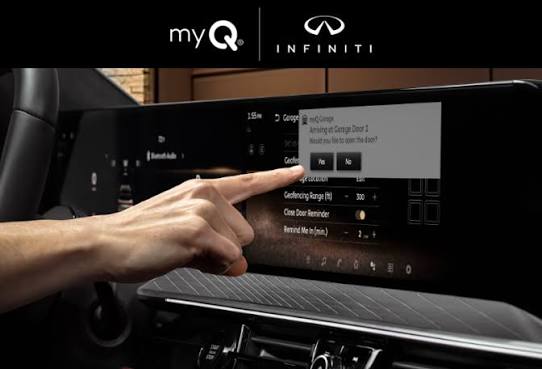
Does the Infiniti QX60 HomeLink work with smart garage controllers like MyQ?
Absolutely. Smart controllers like Chamberlain MyQ or Tailwind act as intermediaries. You program the HomeLink to the smart controller’s physical remote or directly to the controller’s learn button, just like a traditional opener. This allows voice control integration alongside your vehicle’s built-in system.
How do I know which HomeLink version my QX60 has?
Check your owner’s manual or look for a small label near the HomeLink buttons. Version 5.0+ supports two-way communication and cloud connectivity. Most 2017+ QX60 models feature v5.0 or higher. If unsure, assume rolling-code compatibility and follow Step 3 above—it works universally.
Will disconnecting my car battery erase HomeLink settings?
No. HomeLink memory is stored in non-volatile flash memory, meaning it persists through battery disconnections, replacements, and even long-term storage. You only lose settings if you manually perform the factory reset procedure outlined in Step 1.
My QX60 has the Intelligent Rear View Mirror—does programming differ?
The button locations differ (on the mirror frame instead of overhead console), but the programming sequence is identical. The indicator light is also integrated into the mirror display. Refer to Step 2 and Step 3 exactly as written; the logic remains unchanged regardless of button placement.
Conclusion
Mastering how to set garage door opener in Infiniti QX60 is more than a technical task—it’s about reclaiming the effortless experience your luxury SUV promises. By following this structured approach, you’ve not only synchronized your vehicle but also ensured safety, security, and long-term reliability. Remember, patience during the rolling-code sync phase is the difference between frustration and success.
Now that your HomeLink is perfectly configured, take a moment to appreciate the small victory of seamless automation. Found this guide helpful? Share it on Facebook, X (Twitter), or Pinterest to help fellow Infiniti owners avoid the same programming headaches. Your share might save someone a rainy evening stuck outside their garage! Happy driving, and enjoy the convenience you’ve earned.



Leave a Reply