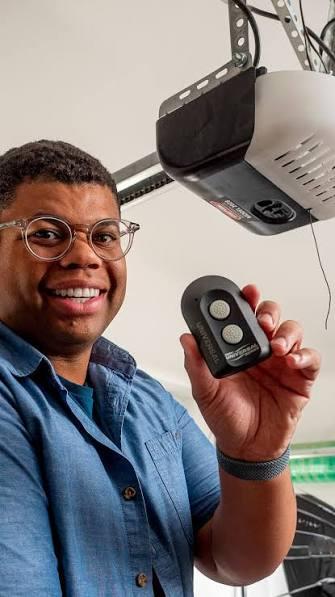
Have you ever pulled into your driveway, pressed the button in your car, and realized nothing happened? It is a frustrating feeling, especially when you are holding groceries or dealing with bad weather. If you have lost your handheld transmitter or it simply stopped working, you might be wondering how to program GMC garage door opener without remote. The good news is that you do not need the original handheld remote to sync your vehicle’s built-in HomeLink system. With a little patience and the right steps, you can regain control of your garage door directly from your GMC truck or SUV.
Understanding the GMC HomeLink System
Before we dive into the programming steps, it is helpful to understand what is happening under the hood. Most modern GMC vehicles, including the Sierra, Yukon, and Acadia, come equipped with HomeLink. This is a universal transceiver that allows your car to communicate with various radio-controlled devices, such as garage doors, gate operators, and even home lighting systems.
Unlike older systems that required a specific “learning button” on every garage door motor, HomeLink uses a rolling code technology for security. This means the code changes every time you press the button, preventing hackers from intercepting the signal. Because of this advanced security feature, the programming process requires a specific sequence of actions to ensure your GMC and your garage door opener are speaking the same language.
Step-by-Step Guide: How to Program Without a Remote
Many people assume they need the original handheld remote to program their car. However, if you have access to the garage door motor unit itself, you can bypass the need for the handheld remote entirely. Here is the precise method to sync your GMC.
Step 1: Clear Previous Settings
If your HomeLink buttons have been used before, you must clear them first.
- Turn your GMC’s ignition to the “On” or “Accessory” position. You do not need to start the engine.
- Press and hold the two outer HomeLink buttons simultaneously.
- Keep holding them for about 20 seconds until the indicator light begins to flash rapidly.
- Release the buttons. The memory is now cleared.
Step 2: Locate the Learn Button on Your Garage Motor
Walk over to your garage door opener motor unit (the box mounted on your ceiling). Look for a small button, often labeled “Learn,” “Smart,” or “Program.” It is usually located near the hanging antenna wire. The color of this button varies by brand (e.g., yellow for LiftMaster, purple for Chamberlain, red for Genie).
Note: If you cannot find the learn button, consult your garage door opener’s manual. You can also find general technical specifications for various opener brands on Wikipedia’s page for Garage Door Openers to identify your model type.
Step 3: Initiate Learning Mode on the Motor
Press and release the “Learn” button on your garage door motor. You will typically see a small LED light turn on or blink. This indicates the motor is now in “pairing mode” and is waiting for a signal from your GMC. You usually have 30 seconds to complete the next step.
Step 4: Program the HomeLink Button
Return to your GMC quickly.
- Choose the HomeLink button you wish to use (e.g., Button 1).
- Press and hold this button firmly.
- Watch the indicator light on the HomeLink module. It will slowly change from a slow blink to a rapid flash.
- Once the light flashes rapidly, release the button.
Step 5: Test the Connection
Press the programmed HomeLink button three times. Your garage door should activate. If it does not, repeat the process, ensuring you are pressing the “Learn” button on the motor and the HomeLink button in the car within the 30-second window.
Troubleshooting Common Issues
Even with careful following of instructions, things can go wrong. Here are the most common hurdles and how to overcome them.
| Issue | Possible Cause | Solution |
|---|---|---|
| Door doesn’t move | Signal not received | Ensure you are within 10 feet of the motor during programming. |
| Light blinks but stops | Time-out error | You took too long between pressing the motor button and the car button. Restart the process. |
| Door moves partially | Obstruction sensor | Check if the safety eyes at the bottom of the door tracks are aligned and clean. |
| Rolling Code Failure | Incompatible system | Some older openers require a “compatibility bridge” or repeater. |
What If I Don’t Have Access to the Motor Unit?
If you live in an apartment complex or cannot reach the motor unit, you may need a universal compatibility bridge. These are small devices sold by HomeLink that act as a middleman between your car and the garage door. They receive the signal from your car and send a compatible signal to the garage door.
Why Use HomeLink Instead of a Remote?
You might wonder why you should bother programming your car when you already have a handheld remote. There are several compelling reasons to switch to the integrated system.
- Convenience: You never have to dig through your purse or glove box for a remote. It is always there on your sun visor or overhead console.
- Security: Handheld remotes can be lost or stolen. HomeLink is built into your vehicle, which is a much more secure location.
- Aesthetics: It reduces clutter in your car and keeps your keychain minimal.
- Reliability: Modern HomeLink systems have a stronger range than many older handheld remotes, allowing you to open your garage from further down the street.
Expert Tips for a Successful Sync
To ensure the best results, consider these professional tips gathered from automotive technicians and HomeLink specialists.
- Check Your Battery: A weak car battery can cause the HomeLink module to malfunction. Ensure your GMC has a strong charge before starting.
- Clear Interference: Other electronic devices, such as LED bulbs in the garage or nearby radio towers, can interfere with the signal. Try turning off garage lights during programming.
- Use the Right Button: If you have multiple garage doors, program them to different HomeLink buttons (1, 2, and 3) to avoid confusion.
- Patience is Key: Rolling code systems can be sensitive. If it fails the first time, do not panic. Wait a minute, clear the memory again, and retry.
Frequently Asked Questions (FAQ)
1. Can I program my GMC garage door opener if I lost the original remote?
Yes, you can. As long as you have physical access to the garage door motor unit to press the “Learn” button, you do not need the original handheld remote. The car communicates directly with the motor during the pairing process.
2. Why does my HomeLink light flash rapidly but the door doesn’t open?
A rapid flash usually indicates that the training was successful, but the signal might not be strong enough to trigger the motor. Try standing closer to the garage door when testing. If it still fails, you may need to reprogram the button or check if your garage door opener requires a compatibility bridge.
3. How do I know if my GMC has HomeLink?
Look for three square buttons on your sun visor, overhead console, or rearview mirror. They are usually labeled with icons representing a garage door, a gate, or a light. If you see these buttons, your vehicle is equipped with HomeLink.
4. Can I program HomeLink to work with a smart garage door opener?
Yes, most smart garage door openers (like MyQ or SmartGarage) are compatible with HomeLink. However, you may need to enable “Compatibility Mode” in the smart opener’s app settings to allow the fixed-code signal from HomeLink to work with the smart system.
5. Is it safe to use HomeLink?
Yes, HomeLink uses rolling code technology, which is highly secure. Each time you press the button, a new code is generated, making it nearly impossible for thieves to intercept and replicate the signal.
Conclusion
Learning how to program GMC garage door opener without remote is a valuable skill that saves you time and money. You do not need to call a technician or buy a new remote if you follow the steps outlined above. By accessing your garage door motor’s “Learn” button and syncing it with your vehicle’s HomeLink system, you can enjoy the convenience of hands-free entry.
Remember, the key to success is patience and precision. Clear the old memory, act quickly within the 30-second window, and test your connection thoroughly. Once set up, you will wonder how you ever lived without the ease of opening your garage directly from your GMC.
Did you find this guide helpful? Share this article with your fellow GMC owners on social media to help them master their HomeLink systems too!



Leave a Reply