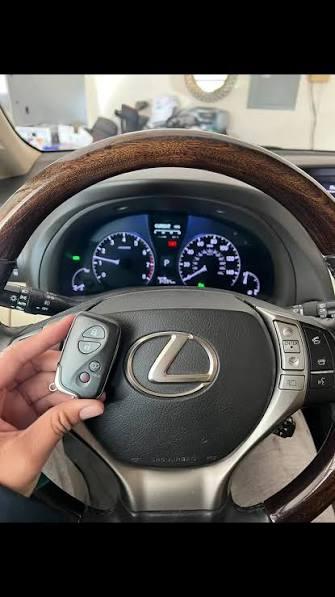
Struggling to sync your vehicle with your home can be incredibly frustrating, especially after a long, exhausting day at work. If you are wondering how to program Lexus ES 350 garage door opener, you are certainly not alone; many new and seasoned owners face this exact hurdle. This straightforward, expert-backed guide will walk you through the entire process step-by-step, ensuring a seamless, secure, and reliable connection in just a few minutes. Let us get your luxury sedan working perfectly with your home.
How to Program Lexus ES 350 Garage Door Opener: The Basics
The Lexus ES 350 comes elegantly equipped with the HomeLink® universal transceiver, a highly reliable, factory-installed system designed to replace up to three standard handheld remotes.
www.rallyelexus.com Whether you are opening your primary garage, a secondary security gate, or even activating your home’s exterior lighting, this integrated system offers unmatched daily convenience.
Before diving into the technical steps, it is crucial to understand that patience, precision, and having the right tools ready are your best assets here. The system is designed to be user-friendly, but following the exact sequence is vital for success.
Step-by-Step Guide to Programming Your HomeLink System
Follow these concrete, actionable, and detailed steps to successfully pair your Lexus ES 350 with your residential garage door opener.
Step 1: Clear the Existing Memory
Before programming a new device, you must erase any old, conflicting codes stored in the vehicle’s memory.
- Sit in the driver’s seat and turn the vehicle’s ignition to the “ON” or “ACC” (Accessory) position.
- Locate the three HomeLink buttons, which are typically embedded in the rearview mirror or the overhead console.
- Press and hold button 1 and button 3 simultaneously for approximately 20 seconds. www.rallyelexus.com
- Release both buttons only when you notice the HomeLink indicator light turn green and begin to flash steadily. This confirms the memory is completely wiped.
Step 2: Position the Original Remote Correctly
Take your existing, working garage door remote and hold it exactly 1 to 3 inches (2.5 to 7.5 cm) away from the HomeLink buttons in your vehicle. Ensure the HomeLink indicator light is facing the remote’s antenna directly. This close proximity is critical for the vehicle to capture the radio frequency signal accurately without interference from the car’s metal frame.
Step 3: Initiate the Learning Process
- Press and hold your desired HomeLink button (for example, button 1).
- At the exact same time, press and hold the primary button on your handheld garage remote.
- Keep both buttons pressed firmly until the HomeLink indicator light changes its behavior. It will transition from a slow, intermittent blink to a rapid, solid flash.
- This signal transfer usually takes between 10 to 30 seconds. Once it flashes rapidly, release both buttons immediately.
Step 4: Sync with the Garage Door Motor Unit
Most modern garage doors manufactured after 1996 use a rolling code security feature that requires a final, physical sync at the motor unit itself.
- Park your Lexus ES 350 safely outside the garage with the engine running or in accessory mode.
- Use a sturdy, reliable stepladder to safely reach the garage door opener motor mounted on the ceiling.
- Locate the “Learn,” “Smart,” or “Program” button on the back or side of the motor unit. homelink.com This button is often colored yellow, purple, red, or green.
- Press and release this “Learn” button. You will typically have a strict 30-second window to complete the next step before the motor times out.
- Return to your vehicle and press the programmed HomeLink button firmly for 2 full seconds, then release.
- Repeat this “press-hold-release” cycle up to three times.
- Your garage door should now activate and move, confirming a successful, secure pairing.
Rolling Code vs. Fixed Code: What You Need to Know
Understanding your garage door’s underlying technology is vital for effective troubleshooting. Modern openers predominantly use rolling code technology to prevent unauthorized access and hacking. In fact, a rolling code system deterministically generates a new, encrypted access code every single time the button is pressed, effectively defeating replay attacks.
en.wikipedia.org
To help you identify your system and understand why certain steps are necessary, refer to this quick comparison:
| Feature | Fixed Code Systems | Rolling Code Systems |
|---|---|---|
| Era of Manufacture | Pre-1996 models | 1996 and newer models |
| Security Level | Low (vulnerable to code grabbing) | High (dynamic, encrypted codes) |
| Programming Complexity | Simple, no motor unit sync needed | Requires pressing the “Learn” button |
| Indicator Behavior | Light flashes rapidly and stays solid | Light flashes rapidly, requires motor sync |
Expert Tips for a Flawless Setup
To ensure a smooth, frustration-free experience, keep these professional recommendations in mind:
- Check the Remote Battery First: A weak or dying battery in your handheld remote is the number one cause of HomeLink programming failure. Always replace it with a fresh, high-quality battery before starting the process.
- Mind the Distance and Angle: If the signal is not transferring in Step 3, do not guess. Try adjusting the distance between the remote and the mirror. Sometimes, moving it to exactly 2 inches or changing the angle by a few degrees makes all the difference.
- Beware of LED Bulb Interference: Recent studies show that certain energy-efficient LED bulbs in garage openers can emit radio frequency noise that interferes with HomeLink signals. If programming fails repeatedly, try temporarily unscrewing the LED bulbs during setup.
- Consult Authoritative Resources: For vehicle-specific nuances, always refer to your official owner’s manual. For broader technical context on garage door security evolution, you can explore detailed resources on Garage door opener technology.
- Safety First Always: Never attempt to reach the garage motor unit while the door is in motion. Always disconnect power if you need to perform any physical maintenance on the tracks or springs.
Frequently Asked Questions (FAQ)
1. How do I completely reset the HomeLink system in my Lexus ES 350?
To clear the entire HomeLink memory safely, press and hold the two outer buttons (button 1 and button 3) for about 20 seconds until the green indicator light flashes.
www.haldemanlexusofprinceton.com This action erases all previously programmed devices, allowing you to start the pairing process completely fresh.
2. Why is my HomeLink light flashing rapidly, but the door won’t open?
A rapidly flashing light indicates that the vehicle has successfully learned the remote’s code, but the garage motor has not yet accepted or recognized it. You must complete Step 4 by physically pressing the “Learn” button on the garage motor unit and then testing the button in your car within the strict 30-second window.
3. Can I program multiple garage doors or gates to my Lexus ES 350?
Yes, absolutely. The HomeLink system features three independent, programmable buttons. You can repeat the entire programming process for each individual button to control up to three different devices, such as a primary garage, a secondary community gate, and your home’s exterior lighting.
4. What if my garage door opener does not have a “Learn” button?
If your opener lacks a “Learn” button, it is likely an older fixed-code model or a specialized proprietary brand. In this specific case, you may need to purchase a HomeLink Compatibility Bridge (also known as a repeater), which acts as a signal translator between your modern car and the older motor unit.
5. Is it safe to program the HomeLink while sitting inside a closed garage?
It is highly recommended to program the system with the garage door fully open and your vehicle parked outside the garage. This prevents accidental entrapment, ensures proper ventilation, and guarantees you have a clear, unobstructed line of sight to the motor unit for the final synchronization step.
Conclusion
Mastering how to program Lexus ES 350 garage door opener systems is a simple yet highly rewarding process that significantly enhances your daily convenience and overall home security. By following these precise, expert-vetted steps, clearing old memories properly, and syncing correctly with your motor unit, you can enjoy seamless, keyless access every single time you arrive home.
Did you find this guide helpful and easy to follow? Share this article with your friends, family, and fellow Lexus owners on Facebook, Twitter, or WhatsApp to help them streamline their smart garage setup today!



Leave a Reply