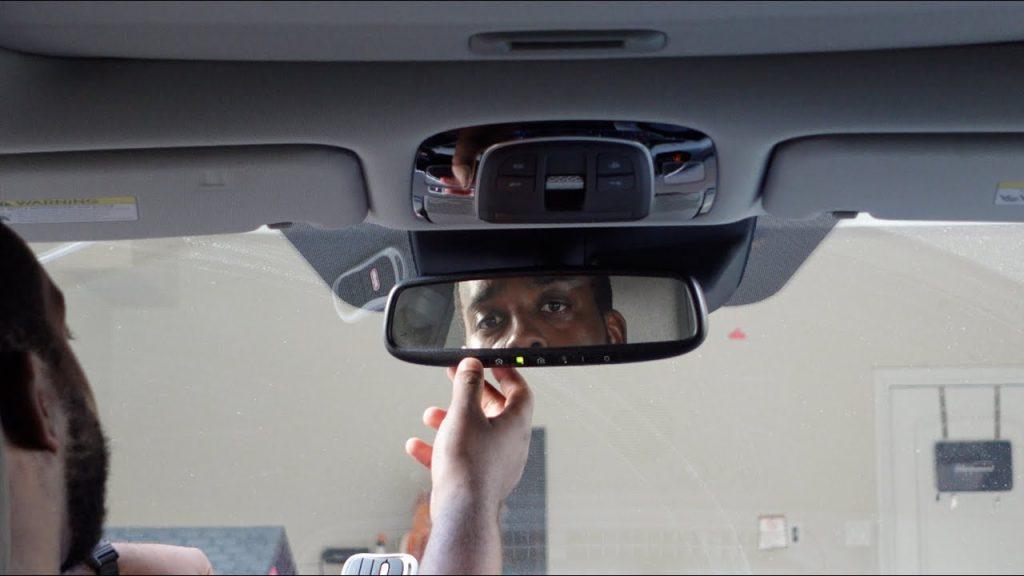
Losing your garage door remote or buying a new vehicle can be frustrating, especially when you just want to pull into your driveway seamlessly after a long day. If you are wondering how to program Lexus garage door opener without remote, you are not alone, and the solution is much simpler than you might think. This comprehensive guide will walk you through a secure, step-by-step process to sync your Lexus HomeLink system directly to your garage motor, saving you both time and money.
Can You Really Program a Lexus Garage Door Opener Without a Remote?
Yes, you absolutely can. Modern Lexus vehicles (including popular models like the RX350, ES, and NX) are equipped with the HomeLink universal transceiver system, which is designed to be highly flexible
homelink.com. While the traditional method involves cloning a signal from a handheld remote, the “direct-to-opener” method allows your car to communicate directly with the garage door motor unit.
According to Gentex, the manufacturer of HomeLink, this direct programming method is fully compatible with most major garage door opener brands manufactured after 1996, including LiftMaster, Chamberlain, Craftsman, and Genie
gbrothersgaragedoors.com. You do not need to purchase a replacement remote to get your system working.
Understanding Your Garage Door System: Rolling Code vs. Fixed Code
Before diving into the steps, it is crucial to understand the technology behind your garage door. This knowledge prevents frustration and ensures a successful, secure pairing.
- Rolling Code Systems: Most modern openers use rolling code technology (also known as Security+). This means the encrypted code changes every time you press the button, preventing thieves from intercepting or copying the signal. You can learn more about this encryption standard on Wikipedia.
- Fixed Code Systems: Older models (pre-1996) use a static, unchanging code. These are rare today but may require a compatibility bridge if your Lexus is a newer model trying to talk to an older door.
Table: Quick Comparison of Garage Door Opener Types
| Feature | Rolling Code (Modern) | Fixed Code (Legacy) |
|---|---|---|
| Security Level | High (Changes every use) | Low (Static signal) |
| Lexus Compatibility | Excellent (Direct pairing) | May require a remote or bridge |
| Programming Time | ~2 minutes | ~1 minute |
| Learn Button Color | Yellow, Purple, or Red | Often green or absent |
Step-by-Step Guide: How To Program Lexus Garage Door Opener Without Remote
Follow these concrete, expert-vetted steps to sync your Lexus. Ensure you have a stable step stool or ladder ready to reach the garage door motor unit safely.
Step 1: Clear Previous HomeLink Codes
Start with a clean slate to avoid signal conflicts. Sit in your Lexus with the ignition turned to the “ON” or “ACC” position (the engine does not need to be running, but the vehicle’s electronics must be active). Press and hold the two outer HomeLink buttons simultaneously for exactly 20 seconds. Release them only when the indicator light changes from a slow blink to a rapid flash. This confirms the memory is completely wiped
www.lexuselcajon.com.
Step 2: Position Your Vehicle Strategically
Park your Lexus in the driveway, directly facing the garage door. This minimizes the distance you need to travel between the car and the opener motor, which is critical for the next step. Turn off the headlights and blower motors so you can clearly see the LED indicators without distraction.
Step 3: Activate the Opener’s “Learn” Mode
Climb your step stool and locate the “Learn” or “Smart” button on the back or side of the garage door opener motor unit. It is usually situated near the hanging antenna wire and may be yellow, purple, or black. Press and release this button once. Do not hold it down, as holding it for 10 seconds will erase all existing remotes and keypads. An LED light next to the button will illuminate, starting a strict 30-second countdown
www.justanswer.com.
Step 4: Sync the Lexus HomeLink Button
Quickly return to your vehicle. Within the 30-second window, press and hold your desired HomeLink button for 2 seconds, then release it for 1 second. Repeat this press-and-release cycle up to three times. Watch the garage door; it should nudge or begin to move, indicating a successful rolling-code handshake
garagetipspro.com. Simultaneously, the HomeLink indicator light in your Lexus will change from a slow flash to a solid, continuous glow.
Step 5: Test the Connection Thoroughly
Step out of the vehicle and press the newly programmed HomeLink button. The garage door should open or close smoothly. For a comprehensive check, drive your Lexus about 20 feet away from the garage and test the button again to ensure reliable signal strength from your typical arrival angle
gbrothersgaragedoors.com.
Troubleshooting Common Lexus HomeLink Issues
Even with perfect execution, minor hiccups can occur. Here is how to resolve the most common problems:
- The 30-Second Window Expired: If the opener’s LED turns off before you finish, simply press the “Learn” button again to restart the timer. Pro Tip: Having a helper in the car can make this much easier, as they can press the HomeLink button the moment you call out “Go!”
- Door Moves but Reverses Immediately: This indicates a misaligned safety sensor or a force limit issue on the opener itself, not a HomeLink programming error. Check the photo-eye sensors at the base of your garage tracks for dirt or misalignment.
- HomeLink Light Remains Dark: Ensure your Lexus is in “ACC” or “ON” mode. Some vehicles disable the visor electronics if the ignition is completely off to preserve the 12V battery.
- Inconsistent Range: If the door only opens when you are very close, check if your windshield has metallic tinting, which can block radio frequencies. Cleaning the button face or slightly adjusting the visor angle can sometimes improve reception.
Frequently Asked Questions (FAQ)
Q1: Can I program my Lexus garage door opener without the original remote?
Yes. By using the direct-to-opener method via the “Learn” button on the motor unit, you can successfully program your Lexus HomeLink system without needing the original handheld remote
www.justanswer.com.
Q2: What if my Lexus HomeLink still won’t connect after following these steps?
If your Lexus is a 2013 model or older and your garage opener is a newer Security+ 2.0 model, you may need a HomeLink Compatibility Bridge. This $40–$60 device plugs directly into the opener and translates the signal for older vehicle systems
garagetipspro.com.
Q3: How many devices can I program to my Lexus HomeLink system?
The integrated HomeLink system in Lexus vehicles can store up to three distinct radio frequency codes. This means you can program one button for your garage, one for a community gate, and one for exterior porch lighting
gbrothersgaragedoors.com.
Q4: Is it safe to program my garage door without a remote?
Absolutely. The rolling-code encryption ensures that the signal transmitted between your Lexus and the garage motor is highly secure and cannot be easily intercepted or cloned by unauthorized devices.
Q5: Will clearing the HomeLink memory erase my other Lexus settings?
No. Clearing the HomeLink memory only affects the three garage door buttons. Your radio presets, navigation data, compass calibration, and driver-assist settings will remain completely intact
gbrothersgaragedoors.com.
Conclusion
Learning how to program Lexus garage door opener without remote is a straightforward process that restores your daily convenience in under five minutes. By leveraging the direct-to-opener method, you bypass the need for a physical remote, saving you an unnecessary trip to the hardware store. Remember to clear old codes first, act swiftly within the 30-second window, and test your connection from a distance to ensure flawless operation.
If you found this guide helpful, please share it on Facebook, X (Twitter), or Pinterest to help a fellow Lexus owner streamline their garage setup! Have questions or a unique smart-home setup? Drop a comment below, and our team will be happy to assist you.



Leave a Reply