Introduction
Have you ever pulled into your driveway, only to realize you still need to dig through your bag or glove compartment to find that bulky plastic remote? It is a small inconvenience, but one that disrupts the seamless luxury experience your Mercedes-Benz is designed to provide. Integrating your garage door with your vehicle’s built-in HomeLink system eliminates this hassle entirely, offering both convenience and enhanced security.
If you are wondering how to program Genie garage door opener to Mercedes-Benz, you are in the right place. While the process might seem intimidating at first, it is actually quite straightforward once you understand the interaction between your car’s transmitter and the garage motor. This guide will walk you through every step, ensuring you get it right the first time.
Understanding the Technology: HomeLink and Genie
Before diving into the buttons and lights, it helps to understand what is happening behind the scenes. Most modern Mercedes-Benz vehicles come equipped with HomeLink, a universal transceiver that can learn the radio frequency signals of your garage door opener, gate operators, and even home lighting systems.
Genie garage door openers typically operate on fixed-code or rolling-code frequencies (usually 315 MHz or 390 MHz in the US). The challenge arises because newer Genie models use “rolling codes” for security, which change every time you press the button. Your Mercedes needs to “handshake” with the Genie unit to synchronize these changing codes.
According to Wikipedia, HomeLink is compatible with over 99% of garage door openers manufactured since 1982, including all major brands like Genie, LiftMaster, and Chamberlain. This high compatibility rate means that if your hardware is functioning correctly, success is highly likely.
Preparation: What You Need Before Starting
Rushing into the programming process without preparation is the most common reason for failure. Ensure you have the following ready:
- Your Mercedes-Benz Key Fob: You must be inside the vehicle with the key present.
- The Original Genie Remote: Do not throw this away yet. You will need it for the final synchronization step.
- A Step Ladder: If your Genie motor unit is mounted high on the ceiling, you may need to reach the “Learn” button on the motor itself.
- Patience: The process involves waiting for LED lights to change colors. Rushing can reset the memory.
Pro Tip: Check your Genie remote’s battery. A weak battery can send a signal too faint for the car to learn during the initial cloning phase.
Step-by-Step: How to Program Genie Garage Door Opener to Mercedes-Benz
This process is divided into two main phases: Cloning the Signal (teaching the car the button) and Syncing with the Motor (teaching the motor to accept the car).
Phase 1: Clearing Previous Memory (If Necessary)
If you have previously programmed a button, or if the LED is flashing rapidly when you press it, you need to clear the memory.
- Sit in your Mercedes with the ignition OFF.
- Press and hold the two outer HomeLink buttons simultaneously.
- Hold them for about 20 seconds until the indicator light begins to flash slowly.
- Release the buttons. The memory is now cleared for those specific slots.
Phase 2: Cloning the Genie Remote to HomeLink
This step copies the signal from your handheld Genie remote to your car’s overhead console.
- Position your Genie remote 1–3 inches away from the HomeLink buttons you wish to program.
- Press and hold the desired HomeLink button in your Mercedes.
- While holding the HomeLink button, press and hold the button on your Genie remote.
- Keep both buttons pressed. Watch the HomeLink LED indicator.
- It will start flashing slowly.
- Eventually, it will change to a rapid flash.
- Once the light flashes rapidly, release both buttons.
- Test the button. At this stage, the garage door might move, but more likely, nothing will happen yet. This is normal for rolling-code systems.
Phase 3: Syncing with the Genie Motor Unit
This is the critical step where you establish the secure handshake with the garage door motor.
- Locate your Genie garage door opener motor unit (the box mounted on your garage ceiling).
- Find the “Learn” or “Program” button. On most Genie models, this is a small button near the antenna wire, often colored purple, red, or orange.
- Press the “Learn” button on the motor unit once. The LED on the motor will usually blink or turn solid, indicating it is in programming mode. You typically have 30 seconds to complete the next step.
- Return to your Mercedes immediately.
- Press and hold the programmed HomeLink button for 2 seconds, release it, and repeat this cycle (press-hold-release) up to three times.
- Listen for the garage door to move or click. If the door activates, the programming is successful.
Note: If the door does not move after three cycles, try pressing the HomeLink button continuously for 10–15 seconds while standing close to the garage door. Some older Genie models require a longer signal duration.
Troubleshooting Common Issues
Even with careful execution, things can go wrong. Here is a breakdown of common problems and solutions.
| Issue | Possible Cause | Solution |
|---|---|---|
| LED Flashes Slowly Then Stops | Signal not strong enough | Move the remote closer (1 inch) to the HomeLink button. Replace remote battery. |
| Door Moves But Reverses Immediately | Safety sensor obstruction | Check the photo-eye sensors at the bottom of the garage tracks. Ensure they are aligned and clean. |
| Nothing Happens at Motor Unit | Wrong “Learn” button pressed | Ensure you pressed the button on the motor, not the wall console. Wait for the light to activate before pressing the car button. |
| HomeLink Button Not Responding | Fuse or System Error | Check your vehicle’s fuse box for the HomeLink fuse. Restart the car and try clearing memory again. |
Dealing with “Rolling Code” Complications
If your Genie opener is a newer model (Intellicode), it uses rolling codes. If standard programming fails, you may need to perform a hard reset on the Genie unit.
- Unplug the Genie motor from the power source for 1 minute.
- Plug it back in.
- Repeat Phase 3 above. This clears any temporary glitches in the motor’s receiver board.
FAQ Section
1. Can I program multiple Genie remotes to my Mercedes?
Yes. Most Mercedes-Benz HomeLink systems have three programmable buttons. You can program each button to a different device (e.g., one for the garage, one for a gate, one for a second garage). However, you cannot program two different remotes for the same door to the same button; choose one primary remote to clone.
2. Why does my garage door close immediately after opening via HomeLink?
This is usually a safety feature triggered by misaligned sensors. When the car sends the signal, the door starts to open. If the safety eyes (sensors) detect an obstruction or are misaligned, the door will reverse. Clean the lenses of the sensors and ensure nothing is blocking the beam.
3. Do I need to be inside the garage to program the system?
For Phase 2 (Cloning), you can be anywhere. For Phase 3 (Syncing), you must be close enough to the motor unit to press the “Learn” button. However, you can press the HomeLink button in the car from outside the garage if you have a clear line of sight, though being inside ensures the strongest signal reception during the handshake.
4. What if my Mercedes doesn’t have HomeLink?
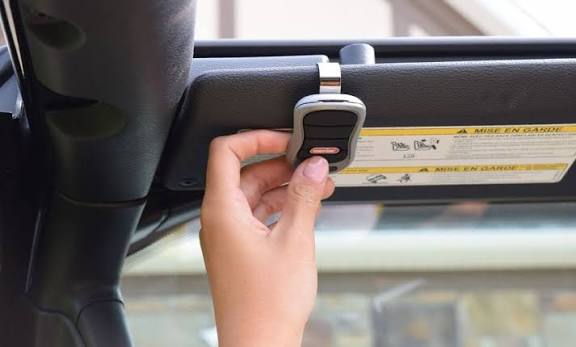
If your specific trim level or older model year does not include built-in HomeLink, you can purchase an aftermarket universal garage door opener visor clip. These devices plug into your car’s 12V outlet or use batteries and can be mounted on the sun visor, mimicking the functionality of the built-in system.
5. Is it safe to leave my garage door connected to my car?
Yes, modern rolling code technology makes it extremely difficult for thieves to intercept and replicate the signal. Unlike older fixed-code systems, the code changes with every use, providing robust security for your home.
Conclusion
Learning how to program Genie garage door opener to Mercedes-Benz transforms a daily chore into a seamless part of your driving routine. By following the steps outlined above—clearing memory, cloning the remote, and syncing with the motor—you can enjoy the convenience of hands-free entry.
Remember, patience is key. If the first attempt doesn’t work, check your batteries and ensure you are hitting the “Learn” button on the motor unit within the 30-second window. Once set up, this feature will save you time and keep your hands free for what matters most.
Did this guide help you get your garage door synced? Share this article with fellow Mercedes owners on social media who might be struggling with their HomeLink setup!



Leave a Reply